Blog
Creating products just got a whole lot less stressful
SendOwl's new stepped product creation process guides you through uploading, describing, and publishing your digital products in a clear, focused flow.

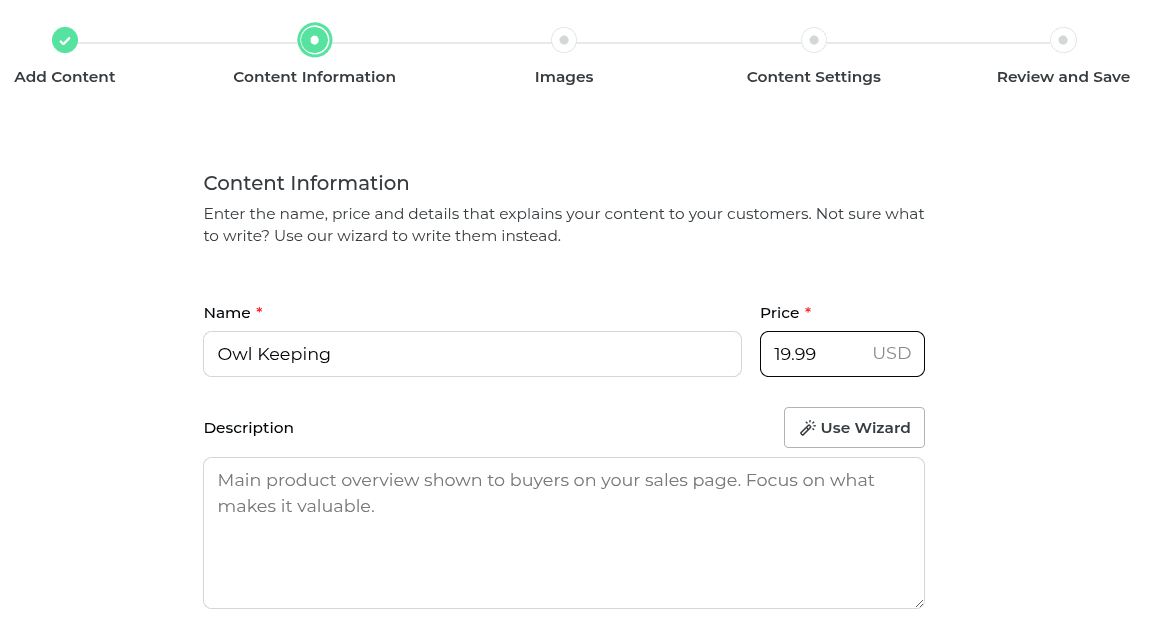
We rebuilt the product creation experience from the ground up. Instead of a wall of form fields, you now get a guided, step-by-step flow that makes launching your digital products straightforward and focused.
We heard you. Staring at a wall of form fields when you're trying to get your product live is not a great experience. So we rebuilt the whole thing.
The new product creation process is a guided, stepped flow. Each step focuses on one thing, so you always know exactly where you are and what to do next. No more overwhelm, just a clear path from upload to publish.
Step 1: Start with your content
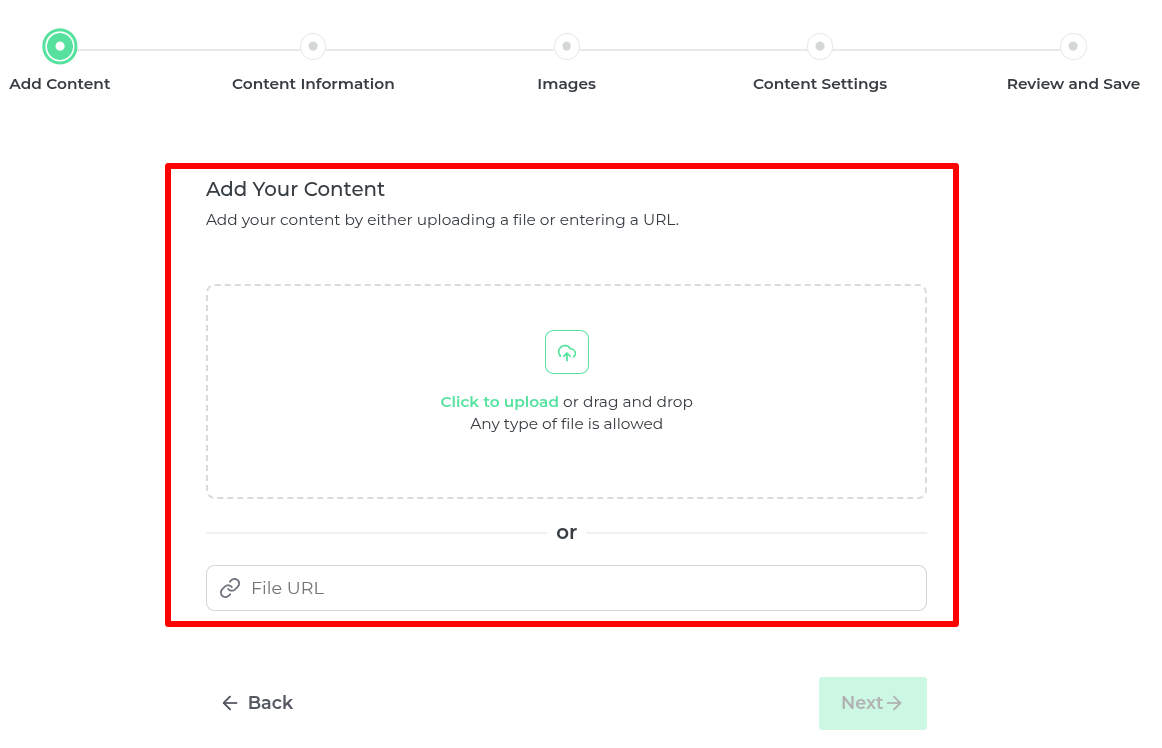
You begin by uploading the file (or URL) you want delivered to your buyer. Everything starts here because your content is the whole point. It puts you in the right headspace straight away: "This is the experience I want my buyer to have."
Step 2: Tell us about it
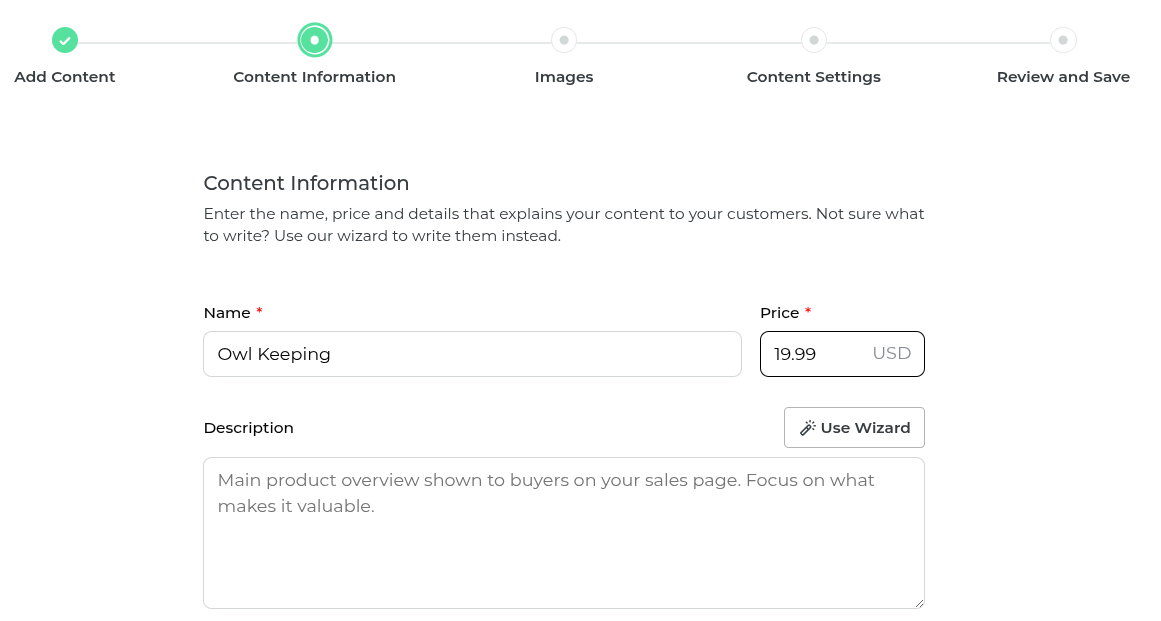
Name it, price it, describe it. Not sure what to write? The built-in Wizard is right there to help you craft something compelling without staring at a blank box.
Step 3: Make it look great
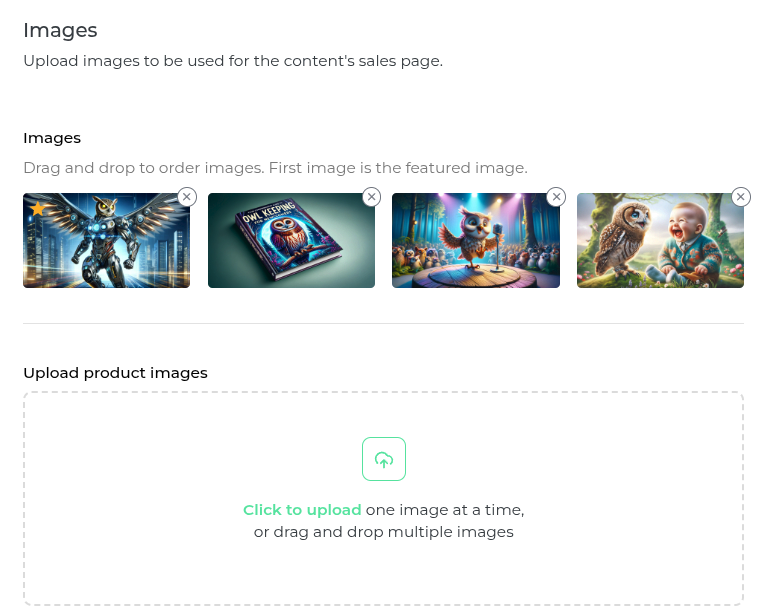
Upload images that bring your Product Sales Page to life. Great visuals sell, and this step gives you the space to make that count.
Step 4: Preview at any point
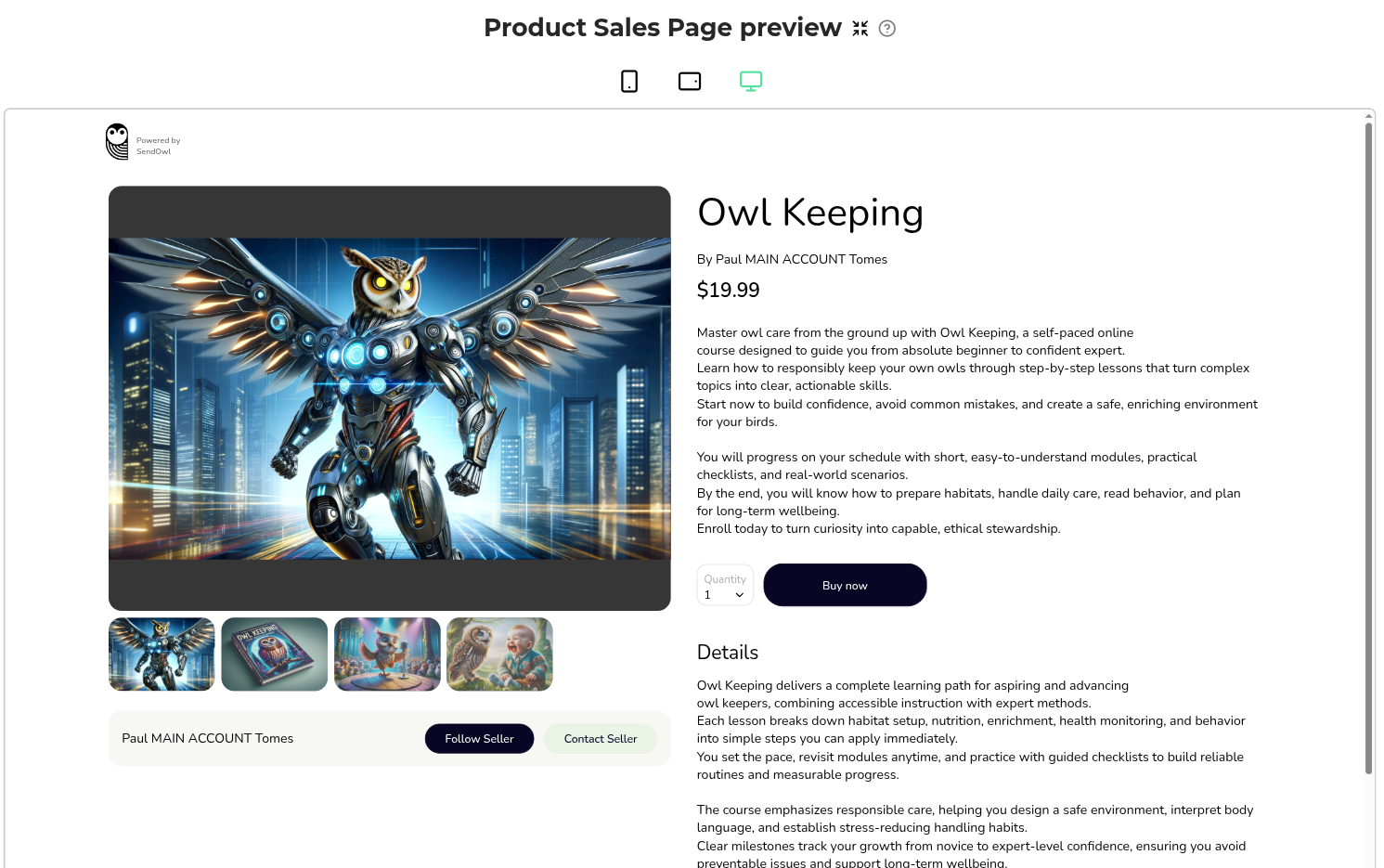
At any stage in the process, you can jump straight into a live preview of your Product Sales Page. See exactly what your buyers will see before you ever hit save.
Step 5: Configure your content settings
Want your PDF stamped? Your spreadsheet locked? Your video streamed only? This is where you dial in exactly how your content is protected and delivered.
Step 6: Review and save
Take one final look at everything, then hit Save. Done.
SendOwl makes selling digital products simple. Upload your files, set your prices, and share links anywhere you connect with your audience. Get started selling digital products for free today.

Paul Tomes is a highly experienced leader with a special talent for understanding both the product and the customer.
community
Join our newsletter for the latest tips, updates,
and exclusive offers to supercharge your digital product sales.